28/7/11

15 Free Computer Science Courses Online

Alfred Thompson, Microsoft, 13 Aug 2009 3:58 AM

Trying something different today. Here is a guest post by Karen Schweitzer who has found a lot of interesting online courses in computer science. You can also find free curriculum resources at Microsoft’s Faculty Connection.

It is no longer necessary to pay tuition and enroll in a formal program to learn more about computer science. Some of the world's most respected colleges and universities now offer free courses online. Although these courses cannot be taken for credit and do not result in any sort of degree or certificate, they do provide high quality education for self-learners. Here are 15 computer science courses that can be taken for free online:

Introduction to Computer Science - Connexions, a Rice University resource, hosts this free course that introduces students to computer science. Covered topics include computer systems, computer networks, operating systems, data representation, and computer programming.

Introduction to Computer Science and Programming - This free Massachusetts Institute of Technology course provides an undergraduate-level introduction to computer science and computer programming. The course includes online readings, assignments, exams, and other study materials.

Mathematics for Computer Science - This free course, also from the Massachusetts Institute of Technology, teaches students how math is relative to computer science and engineering. Course materials include lecture notes, problem sets, assignments, and exams.

Introducing ICT Systems - The UK's Open University provides this free online computer science course to self-learners who want to gain an understanding of ICT (information and computer technologies) systems. The course is designed for introductory students and can be completed by most people in less than 10 hours.

Programming with Robots - Capilano University offers this free online computer science course to self-learners who want to explore computer programming and robotics. Course materials include tutorials, readings, lectures, exercises, assignments, and quizzes.

System Design and Administration - This free computer science course from Dixie State College focuses on computer information systems and technologies. The course introduces students to system design and administration through lectures notes, assignments, and other self-guided study materials.

HTML Basics - The University of Washington Educational Outreach Program offers several free courses, including this free HTML course. The course is designed for beginning level students who are unfamiliar with HTML documents, tags, and structure.

Software Applications - This free course from Kaplan University is a very basic course for people who want to learn more about using software applications. The course covers Internet applications as well as word processing, spreadsheet, communication, and presentation apps.

Object-Oriented Programming in C++ - The University of Southern Queensland offers this free computer science course to teach students the basics of C++ programming and object-oriented design. The course includes 10 modules, multiple lectures, and assignments.

Operating Systems and System Programming - This free online course from the University of California-Berkeley includes a series or audio and video lectures on operating systems and system programming.

Data Structures - This free audio/video course, also from the University of California-Berkeley, covers data structures through a series of online lectures.

Artificial Intelligence - The University of Massachusetts-Boston offers this free computer science course to self-learners who are interested in artificial intelligence (AI). The course uses assignments and other study materials to teach students how to write programs.

Information Theory - This advanced-level computer science course from Utah State University teaches concepts relating to the representation and transmission of information. Course materials include programming and homework assignments.

Network Security - This free computer science course from Open University is for master-level students who have substantial knowledge of computing. The course explores a wide range of topics, including network vulnerabilities, network attacks, encryption, cryptography, access control, and authentication.

Computational Discrete Mathematics - Carnegie Mellon University provides this free computer science course through the school's Open Learning Initiative (OLI). The self-guided course is ideal for independent learners who want to gain a better understanding of discrete mathematics and computation theory.

Guest post from education writer Karen Schweitzer. Karen is the About.com Guide to Business School. She also writes about online colleges for OnlineCollege.org.

COMMENTS
 -  Another resource is http://academicearth.org/subjects/computer-science
 -  Here is a link to MIT Open Courseware http://ocw.mit.edu/OcwWeb/web/home/home/index.htm. There are Computer Science Course and more. All Free.... Sphere: Related Content

27/6/11

OPL Language

OPL language: the battle of array declarations
The OPL Development Studio, created by ILOG (and recently acquired by IBM), provides tools based on the Optimization Programming Language. This tool intends to simplify the process of feeding data and model formulae to other ILOG optimization tools for mathematical programming and constraint programming.

Experience has been proven OPL to be extremely helpful as a compact and high level language for both data and model. Nevertheless, this language still reveals some constructs that are not well understood nor well documented.

For example, there are many pitfalls a novice developer will face on OPL while working with arrays. Here, and on subsequente articles, I will share some advices that would have been useful while I learned OPL.


What arrays are

An OPL array is a list of elements that are identified by an index. OPL is very strict for an array declaration:

o The index must be a element of discrete data type. Even more, those type must be the same for all indexes of the array.
o An array stores values of any type. Again, those type must be the same for all values of the array.
o All values that are possible as index must be enumerated at the array declaration. Of course, all those index values have to be of the same data type.
o This enumeration implies that, for every index value, there must be an element in the array. Than means that no position in the array may be left “empty”.
o Furthermore, the order the index values were enumerated determines the order that array elements are transversed.

Because of these restrictions on OPL arrays, they are not just a listing of elements, but may be understood an associative map that where each exactly index value has a relationship to exactly one element value.

An OPL array may also be seen as a discrete function array(index) =>element. I personally like to call this index value enumeration as domain of the array and the stored elements as image of the array.

How an array is declared with ranges
The simplest array declaration defines the domain as a range of consecutive integer values. The example associates associates the respective square for the integer numbers from 1 to 4:
int a[1..4] = [1, 4, 9, 16];

Observe that the declaration contains the domain (the range 1..4, all consecutive integer from 1 to 4: 1, 2, 3 and 4). The declaration also defines the image: 1, 4, 9, 16. Both domain and image are ordered sets that define a relation, meaning that a[1]=>1, a[2]=>4, a[3]=>9 and a[4]=>16.

The image could also be read from a data file:
int a[1..4] = ...;assuming there is a text file that contains a line as: a = [1, 4, 9, 16];

How an array is declared with formulaThe image does not need to be expressed as a list. Formula is also allowed.
int a[x in 1..4] = x*x;

Observe that the declaration still presents the domain (1..4) and the image (x*x). The formula is automatically evaluated for each value from the domain.

How an array is declared with ordered sets
Alternatively, the declaration may define the domain as an ordered set or primitive values (sequence of possibly non consecutive values). The example associates the respective squares for three arbitrary integer numbers:
int a[{1, 3, 6}] = [1, 9, 36];

A index of string data type must be declared as a set as there is no concept of “range of strings”. The example shows a function that associates a uppercase letter for each lower case letter.
int a[{"a", "b", "c", "d"}] = ["A", "B", "C", "D"];

How an array is declared with ordered sets of tuplesSince tuples are also discrete and unique (according to OPL convention), they may be used as indices for arrays. Again, one is required to declare a set of tuples as the domain for the index.
int a[{<1,2>, <3,3>, <4,5>}] = [3, 6, 9];

In this example, the domain is composed of a set of pairs of numbers. Each pair is associated to the sum of the numbers from the pair.

OPL and Java: loading dynamic Linux libraries
When calling IBM ILOG OPL (Optimization Programming Language) from a Java application running on Linux, one will face some issues regarding loading dynamic OPL libraries. Typical error messages look like:
Native code library failed to load: ensure the appropriate library (oplXXX.dll/.so) is in your path.
java.lang.UnsatisfiedLinkError: no opl63 in java.library.path
java.lang.UnsatisfiedLinkError: no opl_lang_wrap_cpp in java.library.path
java.lang.UnsatisfiedLinkError: no cp_wrap_cpp_java63 in java.library.path
java.lang.UnsatisfiedLinkError: no concert_wrap_cpp_java63 in java.library.path


This article explains my considerations and some approaches how to fix it.

According to the OPL Java Interface documentation, granting access to the OPL should be as simple as:
this.oplFactory = new IloOplFactory();
this.errorHandler = oplFactory.createOplErrorHandler();
this.settings = oplFactory.createOplSettings(this.errorHandler);
...


However, at the first time Java reaches a reference to any class that provides OPL, it will try to load all C-compiled dynamic libraries that implement the OPL interface. Under linux, this library is called oplXXX.so (where XXX is the OPL version, eg. 63 for 6.3) and usually found as a file ./bin/YYY/liboplXXX.so from the OPL installation directory (where YYY is the name of your operating system and machine architecture).

The easiest way to assure that Java finds the OPL library is passing its path on the java command line with the -Djava.library.path JVM parameter:
java -Djava.library.path=/opt/ilog/opl63/bin/x86-64_debian4.0_4.1 -jar OptApplication.jar

On other ILOG products, I used to write code that forces loading the library to avoid requiring the user to care about the -Djava.library.path JVM parameter.
try { // (does not work)
System.load("/opt/ilog/opl63/bin/x86-64_debian4.0_4.1/libopl63.so");
} catch (UnsatisfiedLinkError e) {
throw new OplLibraryNotFoundException(e);
}


Unfortunately, there is a hidden trap: the oplXXX.so itself has binary dependencies to other ILOG libraries. Both approaches (System.load and JVM parameter) will fail with an error message like:
java.lang.UnsatisfiedLinkError: /opt/ilog/opl63/bin/x86-64_debian4.0_4.1/libopl63.so: libdbkernel.so: cannot open shared object file: No such file or directory
java.lang.UnsatisfiedLinkError: no opl_lang_wrap_cpp in java.library.path
java.lang.UnsatisfiedLinkError: no cp_wrap_cpp_java63 in java.library.path
java.lang.UnsatisfiedLinkError: no concert_wrap_cpp_java63 in java.library.path


All required dependecies are, according to ldd:
libdbkernel.so, libdblnkdyn.so, libilog.so, libcplex121.so

One solution would be to load all the libraries in reverse order before referencing any OPL class:
try { // (does not work)
System.load("/opt/ilog/opl63/bin/x86-64_debian4.0_4.1/libilog.so");
System.load("/opt/ilog/opl63/bin/x86-64_debian4.0_4.1/libdbkernel.so");
System.load("/opt/ilog/opl63/bin/x86-64_debian4.0_4.1/libdblnkdyn.so");
System.load("/opt/ilog/opl63/bin/x86-64_debian4.0_4.1/libcplex121.so");
System.load("/opt/ilog/opl63/bin/x86-64_debian4.0_4.1/libopl63.so");
} catch (UnsatisfiedLinkError e) {
throw new OplLibraryNotFoundException(e);
}


Unfortunately, not all binary library dependencies conform to JNI and it is not possible to force pre-loading them.

It happens that the JVM, in order to load libopl63.so, passes control to LD GNU Linker, which is in charge to load libopl63.so and all its dependencies. The LD is a component of Linux and runs under the scope of the operating system. It is completely unaware of the JVM that called it. Therefore, it has no knowledge of the JVM configuration nor class loading policies. It will not look within paths listed by the -Djava.library.path JVM parameter. Instead, it was programmed to look for paths listed in LD_LIBRARY_PATH.

I agree that this is really odd. I checked thoroughly reference manuals/documentation and talked to experienced Linux system administrators. There is really nothing one can do with Java coding or configuring to fix this issue. The only solution is configuring the LD_LIBRARY_PATH environment variable to instruct LD where to locate additional OPL libraries. In order to call ones application, a redundant command line is required as:
LD_LIBRARY_PATH=/opt/ilog/opl63/bin/x86-64_debian4.0_4.1 java -Djava.library.path=/opt/ilog/opl63/bin/x86-64_debian4.0_4.1 -jar OptApplication.jar

Even worse, one needs to set LD_LIBRARY_PATH on each Java invocation. Editing bash_profile.sh or .bashrc is of little use, since most setuid’ tools (as bash or gdm that starts your graphical interface) do reset LD_LIBRARY_PATH for security reasons. And you practically all log-in access relies on a setuid’ application, LD_LIBRARY_PATH will always be reseted. Sphere: Related Content

18/4/11

The Dangers of HTML5: WebSockets and Stable Standards

By Cameron Laird

You celebrate: it's the first Friday after your start-up opens its first real office and a round of funding came through. This is going to be a good weekend. HTML5 has the technologies you need to make your idea for a Web-based massive multi-player game take off. Hardware-accelerated gaming in a browser is real and you're going to lead the way.

Until Monday, when you find that all the tests you'd already done, and all the demos you've staged, no longer matter. Your website crashes, the game freezes and there's nothing obvious you can do to bring it back.

What Happened to the WebSockets?

This story is a true one. It happened already to several teams that depend on the WebSocket protocol. How could things go so wrong? What protection can Web developers put in place to prevent being "burned" this way?

The short answer: constant vigilance. The WebSocket situation is more involved than any few-word explanation like, "he ran a red light" or "they didn't do back-ups." Like most real-world dramas, many factors came together to create the WebSocket situation:

The potential for "cross-layer" security exploits due to lack of testing
A highly unpredictable path for how technologies evolve across standards organizations
The role of browsers and browser vendors that support standards
The only insurance you have is to be aware of the changes that occur with unstable standards (and invest the time to support them). To see why there's no easy systematic fix, we need clarity about what HTML5 is, WebSocket's position within HTML5, and how standard-based development itself is evolving.

HTML5 and Application Development

HTML5 has significantly more potential than its predecessors. In the past, "Web Application" generally involved something no more sophisticated than a data-entry form like a college entrance examination or a tax return. Previous incarnations of Web standards went by several titles, including HTML4; they brought us to roughly the point that that made search engines, the cloud and the rest of Web 2.0 become possible.

HTML5, in contrast, is a collection of technologies that are emerging with varying degrees of stability. These range from hardware-accelerated graphics, audio, and video that can make a Web game feel like a native application to a mundane (but a highly valuable) approach to database standards like IndexedDB.

The Web is still the platform to reach the most people possible for relatively low cost. HTML5, in broad terms, will be the set of standards that make networked application development feasible across a range of platforms and devices. All the devices you use -- phones, game consoles, automobiles, TVs, point-of-sale installations, household appliances and more -- have the realistic potential to fulfill a single set of standards. That's quite an achievement for a set of technologies that are just emerging!

It is also not a single coherent definition or document like, say, HTTP1.1 (and we should recognize that even that rather well-controlled topic was published in seven distinct parts). HTML5 won't be completely finished for at least a few years more. So how do web developers take advantage of these technologies at varying levels of readiness? How do browsers play a role in supporting HTML5 standards with developers in mind?

Speed of Innovation vs. Spec Stability

The key actors behind HTML5 could make it "tight" -- more coherent, integrated and internally consistent. It would be more trustworthy and blemish-free. That would appear to make our choices as developers simpler.

Such an alternate-reality HTML5 would probably have taken an extra decade, and been unused on release. The real choice is not between a high- and low-quality standard; it's how best to balance flexibility and reliability in standardization. Moreover, when the standard lags too much, clever developers create their own techniques for solving their real problems, and further muddying the engineering landscape. The HTML5 sponsors did the right thing in modularizing the standard and its process. Parts of HTML5 are fairly well understood and noncontroversial; they just needed standardization, and a few of them have been usable in Web browsers for more than five years already.

Other parts are more difficult, including the WebSocket protocol. Understand that "difficulty" here isn't a euphemism for "written by people acting in bad faith" or "subject to an evil conspiracy." The problems HTML5 addresses are hard ones that demand careful design and engineering. Occasionally, with the best of intentions and even plenty of intense meetings, mistakes are made.

The Role of Browsers

Browsers and browser vendors like Google, Microsoft and Mozilla also play a role in how HTML5 specs play. Each one has a different perspective in how to balance the trade-offs between quick innovation and spec stability.

Google's Chrome and Mozilla's Firefox have generally mixed the stable specs from ones that are rapidly changing. With Internet Explorer 9, Microsoft has begun to distinguish stable vs. unstable specifications, keeping the latter out of the browser. Instead the company experiments with unstable specs at www.html5labs.com.

SVG makes for an interesting example: the first browser with practical display of Scalable Vector Graphics, late in 2000, was Internet Explorer 6, with an SVG plugin from Adobe. By 2005 and 2006, other browsers supported parts of the still-evolving SVG standard. IE9 introduced native support for most of SVG during 2010-2011, after a view that the SVG specification was adequately stable. While Microsoft probably could have supported it faster, IE did avoid putting Web developers through many of the pain-points that made it hard to test and, in some cases, led to site breakage as the spec changed.

So how do developers decide what to support when browser vendors disagree? For the foreseeable future, thinking of it in terms of "does browser B support HTML5?" simply won't make much sense; the pertinent question will be more along the lines of, "how well does a particular version of B support the particular version and parts of HTML5 that our implementation requires?" We should think of "support" here as the character or attitude of the browser rather than a particular feature, like a checkbox in a table. Suppose, for instance, that your application focuses on scheduling. The new datetime input datatypes are crucial to you. You need to analyze clearly which browser releases give you the input behavior you're after -- but you equally need to know how the browser providers decided on those behaviors, and therefore what the different browsers are likely to do as standards continue to develop. You also need to determine how whether you want to add support for something that will continue to change and likely break your web experience at times.

WebSockets: An Unstable Spec Case Study

Let’s go deeper into the WebSockets case. There's no question that mistakes were made with its early prototypes and their immediate acceptance regardless of stability. To understand how, you need to think first of the original Web, from the early years of the 1990s. Back then it was all "pull" -- a Web browser sends a request and retrieves a page to display. Needs for more general kinds of networking have been obvious for most of the last two decades; among all the technical fixes to this point, the AJAX model first accessible in Internet Explorer 5.0 in spring of 1999 represented the most dramatic advance.

Even Ajax imposes constraints on the responsiveness (latency) and capacity (bandwidth) of applications that have become unacceptable. The constraints have remained in large part because security is so hard to get right. The point of WebSockets is to solve this problem.

It seemed a "good enough" solution to be supported first in Chrome at the end of 2009. The spec kept changing and sites had to keep updating implementations as their sites broke. By Fall 2010, several browsers supported WebSocket capabilities. That was also when a team published a paper that described security vulnerabilities. The outcome: Firefox and Opera turned off WebSocket in their browsers. Internet Explorer chose not to carry WebSockets because it was too unstable to make a bet on the technology and instead prototype it. It's widely recognized that, WebSocket will continue to change and is not yet stable. It certainly will change and, when it becomes successful enough, will begin again to expand in capabilities and refinements.

As mentioned above, browser vendors have made different choices in regard to support of WebSockets. Who's right in all this? Maybe everyone. While partisans lob shots at Firefox and Google, respectively, for publishing browsers that are risky, and at Microsoft for conservatism, the choices aren't easy. Engineering is all about trade-offs, and the trade-offs in a case such as this are subtle and hard to compute with precision. Different organizations, developing for different markets, might justly make different choices. Microsoft Technical Evangelist Giorgio Sardo is certainly right when he emphasizes "It's important to get it right." Sardo doesn't mean something as simple as "always assume IE" or even "use only accepted standards." He admits that, "personally I like WebSockets" -- and he should! HTML5 is the way it is because bright people are working at the edge of our understanding to make the most of the Internet infrastructure as it exists right now. There are thousands of valuable applications waiting to be written, and HTML5 is mostly part of the solution, not the problem.

Finding the Balance

The lesson of WebSockets, then, is not to retreat and give up on HTML5. Instead, we should take these steps:
  • 1. Analyze clearly what parts of stable HTML5 pay-off for your site versus the risks of unstable spec development
  • 2. Research why browsers support specific HTML5 technologies and what it means to your end-user experience if you develop for them
  • 3. Plan your development balancing new technology with website stability be prepared to weigh the costs of supporting changing standards
  • 4. And of course, stay current and be active in the latest spec discussions
Find or become an HTML5 expert through sites like HTML5 Labs or WebSocket.org that make it easier to assess a new technology. Are you looking for a simple choice, like adopting HTML5 and then living happily ever after? That's not realistic. What is realistic is that, with a little effort invested in the appropriate technical communities, you and your teammates can stay current with the best Internet programming practices. If you're good enough, you can even have a hand in their creation.

About the Author
Cameron Laird is an experienced developer who has written hundreds of articles on programming techniques. He's particularly enthusiastic about HTML5; keep up with him through Twitter. Sphere: Related Content

10/4/11

Microsoft: Happy 36th birthday!

The company's story is an important part of Americana. But how much do you really know about it?
By Microsoft Subnet on Mon, 04/04/11 - 4:24pm.

Microsoft was founded on April 4, 1975, as a partnership between Bill Gates and Paul Allen. The company's history is an embedded part of Americana. Its leaders are household names. Its products grace just about every household in the land. It's story is the stuff of American legend and myth (a scrappy startup that turned into an international powerhouse).

Smile worthy too: Steve Ballmer as emoticons

But how much do you really know about the legendary software maker? Here's a quiz to test you. (Answers can be found on page 2 of this article.)

1. In what city and state was Microsoft founded? a. Bellevue, Wash.
b. Redmond, Wash.
c. Albuquerque, N.M
d. Tucson, Ariz.

2. How old were Bill Gates and Paul Allen when they founded Microsoft?'
a. Gates was 19. Allen was 22.
b. Gates was 17; Allen was 26.
c. Gates was 24; Allen was 30.
d. Gates was 26; Allen was 19.

3. On November 2, 2001, Microsoft and the Department of Justice came to an agreement on the DOJ's antitrust lawsuit against Microsoft. What was the product that originally sparked the lawsuit?
a. DOS
b. Excel
c. Internet Explorer
d. Windows

4. In what year did Steve Ballmer join Microsoft?
a. 1990
b. 2000
c. 1965
d. 1980

5. What year was the flagship Windows 3.0 released?
a. 1984
b. 2000
c. 1988
d. 1990

Answers:

1. C. Microsoft was founded in Albuquerque, New Mexico. It didn't move to Washington until 1979 (Bellevue). It moved to its Redmond HQ's in 1986.

2. A. The teenaged Gates was paired with a bushy-bearded Allen. Gates was only 19 but looked like he was 15. Allen was 22 but looked about 35.

3. C. Internet Explorer was the cause for the DOJ case against Microsoft in a case that began in 1998. Not only was it argued that bundling IE for free with Windows gave it an unfair advantage in the browser market, but that Microsoft fiddled with Windows to make IE perform better than third-party browsers. After extensions, government oversight of Microsoft as a result of the case is set to expire in May.

4. D. Steve Ballmer joined Microsoft in 1980 in an executive operations role. He was responsible for personnel, finance, and legal areas of the business. Although he became CEO in 2000, Bill Gates didn't retire from day-to-day operations until 2008, so Ballmer has only had solo reign of the company since that time. In 1980, Microsoft had year-end sales of $8M and 40 employees.

5. D. Windows 3.0 was released in 1990 and was the first wildly successful version of Windows. This version of Windows was the first to be pre-installed on hard drives by PC-compatible manufacturers. Two years later, Microsoft would release Windows 3.1. Together, these two versions of Windows would sell 10 million copies in their first two years. When Windows 95 was to launch in 1995, people stood in lines to buy their copy. Sphere: Related Content

3/4/11

What really happens when you navigate to a URL

As a software developer, you certainly have a high-level picture of how web apps work and what kinds of technologies are involved: the browser, HTTP, HTML, web server, request handlers, and so on.
In this article, we will take a deeper look at the sequence of events that take place when you visit a URL.

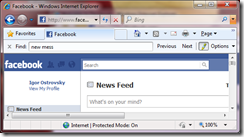
1. You enter a URL into the browser

It all starts here:

2. The browser looks up the IP address for the domain name

The first step in the navigation is to figure out the IP address for the visited domain. The DNS lookup proceeds as follows:
  • Browser cache – The browser caches DNS records for some time. Interestingly, the OS does not tell the browser the time-to-live for each DNS record, and so the browser caches them for a fixed duration (varies between browsers, 2 – 30 minutes)
  • OS cache – If the browser cache does not contain the desired record, the browser makes a system call (gethostbyname in Windows). The OS has its own cache
  • Router cache – The request continues on to your router, which typically has its own DNS cache
  • ISP DNS cache – The next place checked is the cache ISP’s DNS server. With a cache, naturally
  • Recursive search – Your ISP’s DNS server begins a recursive search, from the root nameserver, through the .com top-level nameserver, to Facebook’s nameserver. Normally, the DNS server will have names of the .com nameservers in cache, and so a hit to the root nameserver will not be necessary
Here is a diagram of what a recursive DNS search looks like:
One worrying thing about DNS is that the entire domain like wikipedia.org or facebook.com seems to map to a single IP address. Fortunately, there are ways of mitigating the bottleneck:
  • Round-robin DNS is a solution where the DNS lookup returns multiple IP addresses, rather than just one. For example, facebook.com actually maps to four IP addresses.
  • Load-balancer is the piece of hardware that listens on a particular IP address and forwards the requests to other servers. Major sites will typically use expensive high-performance load balancers.
  • Geographic DNS improves scalability by mapping a domain name to different IP addresses, depending on the client’s geographic location.
    This is great for hosting static content so that different servers don’t have to update shared state.
  • Anycast is a routing technique where a single IP address maps to multiple physical servers. Unfortunately, anycast does not fit well with TCP and is rarely used in that scenario.
Most of the DNS servers themselves use anycast to achieve high availability and low latency of the DNS lookups.

3. The browser sends a HTTP request to the web server

You can be pretty sure that Facebook’s homepage will not be served from the browser cache because dynamic pages expire either very quickly or immediately (expiry date set to past).
So, the browser will send this request to the Facebook server:

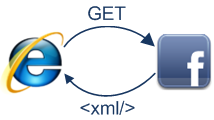
GET http://facebook.com/ HTTP/1.1
Accept: application/x-ms-application, image/jpeg, application/xaml+xml, [...]
User-Agent: Mozilla/4.0 (compatible; MSIE 8.0; Windows NT 6.1; WOW64; [...]
Accept-Encoding: gzip, deflate
Connection: Keep-Alive
Host: facebook.com
Cookie: datr=1265876274-[...]; locale=en_US; lsd=WW[...]; c_user=2101[...]

The GET request names the URL to fetch: “http://facebook.com/”. The browser identifies itself (User-Agent header), and states what types of responses it will accept (Accept and Accept-Encoding headers). The Connection header asks the server to keep the TCP connection open for further requests.

The request also contains the cookies that the browser has for this domain. As you probably already know, cookies are key-value pairs that track the state of a web site in between different page requests. And so the cookies store the name of the logged-in user, a secret number that was assigned to the user by the server, some of user’s settings, etc. The cookies will be stored in a text file on the client, and sent to the server with every request.

There is a variety of tools that let you view the raw HTTP requests and corresponding responses. My favorite tool for viewing the raw HTTP traffic is fiddler, but there are many other tools (e.g., FireBug) These tools are a great help when optimizing a site.

In addition to GET requests, another type of requests that you may be familiar with is a POST request, typically used to submit forms. A GET request sends its parameters via the URL (e.g.: http://robozzle.com/puzzle.aspx?id=85). A POST request sends its parameters in the request body, just under the headers.

The trailing slash in the URL “http://facebook.com/” is important. In this case, the browser can safely add the slash. For URLs of the form http://example.com/folderOrFile, the browser cannot automatically add a slash, because it is not clear whether folderOrFile is a folder or a file. In such cases, the browser will visit the URL without the slash, and the server will respond with a redirect, resulting in an unnecessary roundtrip.

4. The facebook server responds with a permanent redirect

This is the response that the Facebook server sent back to the browser request:
HTTP/1.1 301 Moved Permanently
Cache-Control: private, no-store, no-cache, must-revalidate, post-check=0,
pre-check=0
Expires: Sat, 01 Jan 2000 00:00:00 GMT
Location: http://www.facebook.com/
P3P: CP="DSP LAW"
Pragma: no-cache
Set-Cookie: made_write_conn=deleted; expires=Thu, 12-Feb-2009 05:09:50 GMT;
path=/; domain=.facebook.com; httponly
Content-Type: text/html; charset=utf-8
X-Cnection: close
Date: Fri, 12 Feb 2010 05:09:51 GMT
Content-Length: 0

The server responded with a 301 Moved Permanently response to tell the browser to go to “http://www.facebook.com/” instead of “http://facebook.com/”.

There are interesting reasons why the server insists on the redirect instead of immediately responding with the web page that the user wants to see.

One reason has to do with search engine rankings. See, if there are two URLs for the same page, say http://www.igoro.com/ and http://igoro.com/, search engine may consider them to be two different sites, each with fewer incoming links and thus a lower ranking. Search engines understand permanent redirects (301), and will combine the incoming links from both sources into a single ranking.

Also, multiple URLs for the same content are not cache-friendly. When a piece of content has multiple names, it will potentially appear multiple times in caches.

5. The browser follows the redirect

The browser now knows that “http://www.facebook.com/” is the correct URL to go to, and so it sends out another GET request:
GET http://www.facebook.com/ HTTP/1.1
Accept: application/x-ms-application, image/jpeg, application/xaml+xml, [...]
Accept-Language: en-US
User-Agent: Mozilla/4.0 (compatible; MSIE 8.0; Windows NT 6.1; WOW64; [...]
Accept-Encoding: gzip, deflate
Connection: Keep-Alive
Cookie: lsd=XW[...]; c_user=21[...]; x-referer=[...]
Host: www.facebook.comThe meaning of the headers is the same as for the first request.

6. The server ‘handles’ the request

The server will receive the GET request, process it, and send back a response.

This may seem like a straightforward task, but in fact there is a lot of interesting stuff that happens here – even on a simple site like my blog, let alone on a massively scalable site like facebook.
  • Web server software
    The web server software (e.g., IIS or Apache) receives the HTTP request and decides which request handler should be executed to handle this request. A request handler is a program (in ASP.NET, PHP, Ruby, …) that reads the request and generates the HTML for the response.
    In the simplest case, the request handlers can be stored in a file hierarchy whose structure mirrors the URL structure, and so for example http://example.com/folder1/page1.aspx URL will map to file /httpdocs/folder1/page1.aspx. The web server software can also be configured so that URLs are manually mapped to request handlers, and so the public URL of page1.aspx could be http://example.com/folder1/page1.
  • Request handler
    The request handler reads the request, its parameters, and cookies. It will read and possibly update some data stored on the server. Then, the request handler will generate a HTML response.
One interesting difficulty that every dynamic website faces is how to store data. Smaller sites will often have a single SQL database to store their data, but sites that store a large amount of data and/or have many visitors have to find a way to split the database across multiple machines. Solutions include sharding (splitting up a table across multiple databases based on the primary key), replication, and usage of simplified databases with weakened consistency semantics.

One technique to keep data updates cheap is to defer some of the work to a batch job. For example, Facebook has to update the newsfeed in a timely fashion, but the data backing the “People you may know” feature may only need to be updated nightly (my guess, I don’t actually know how they implement this feature). Batch job updates result in staleness of some less important data, but can make data updates much faster and simpler.

7. The server sends back a HTML response

Here is the response that the server generated and sent back:

HTTP/1.1 200 OK
Cache-Control: private, no-store, no-cache, must-revalidate, post-check=0,
pre-check=0
Expires: Sat, 01 Jan 2000 00:00:00 GMT
P3P: CP="DSP LAW"
Pragma: no-cache
Content-Encoding: gzip
Content-Type: text/html; charset=utf-8
X-Cnection: close
Transfer-Encoding: chunked
Date: Fri, 12 Feb 2010 09:05:55 GMT

2b3��������T�n�@����[...]The entire response is 36 kB, the bulk of them in the byte blob at the end that I trimmed.

The Content-Encoding header tells the browser that the response body is compressed using the gzip algorithm. After decompressing the blob, you’ll see the HTML you’d expect:
--!DOCTYPE html PUBLIC "-//W3C//DTD XHTML 1.0 Strict//EN"
"http://www.w3.org/TR/xhtml1/DTD/xhtml1-strict.dtd"
--html xmlns="http://www.w3.org/1999/xhtml" xml:lang="en"
lang="en" id="facebook" class=" no_js"
--head
--meta http-equiv="Content-type" content="text/html; charset=utf-8"
--meta http-equiv="Content-language" content="en"

...In addition to compression, headers specify whether and how to cache the page, any cookies to set (none in this response), privacy information, etc.
Notice the header that sets Content-Type to text/html. The header instructs the browser to render the response content as HTML, instead of say downloading it as a file. The browser will use the header to decide how to interpret the response, but will consider other factors as well, such as the extension of the URL.

8. The browser begins rendering the HTML

Even before the browser has received the entire HTML document, it begins rendering the website:

9. The browser sends requests for objects embedded in HTML

As the browser renders the HTML, it will notice tags that require fetching of other URLs. The browser will send a GET request to retrieve each of these files.
  • Images
    http://static.ak.fbcdn.net/rsrc.php/z12E0/hash/8q2anwu7.gif
    http://static.ak.fbcdn.net/rsrc.php/zBS5C/hash/7hwy7at6.gif
  • CSS style sheets
    http://static.ak.fbcdn.net/rsrc.php/z448Z/hash/2plh8s4n.css
    http://static.ak.fbcdn.net/rsrc.php/zANE1/hash/cvtutcee.css
  • JavaScript files
    http://static.ak.fbcdn.net/rsrc.php/zEMOA/hash/c8yzb6ub.js
    http://static.ak.fbcdn.net/rsrc.php/z6R9L/hash/cq2lgbs8.js
  • …
Each of these URLs will go through process a similar to what the HTML page went through. So, the browser will look up the domain name in DNS, send a request to the URL, follow redirects, etc.

However, static files – unlike dynamic pages – allow the browser to cache them. Some of the files may be served up from cache, without contacting the server at all. The browser knows how long to cache a particular file because the response that returned the file contained an Expires header. Additionally, each response may also contain an ETag header that works like a version number – if the browser sees an ETag for a version of the file it already has, it can stop the transfer immediately.

Can you guess what “fbcdn.net” in the URLs stands for? A safe bet is that it means “Facebook content delivery network”. Facebook uses a content delivery network (CDN) to distribute static content – images, style sheets, and JavaScript files. So, the files will be copied to many machines across the globe.

Static content often represents the bulk of the bandwidth of a site, and can be easily replicated across a CDN. Often, sites will use a third-party CDN provider, instead of operating a CND themselves. For example, Facebook’s static files are hosted by Akamai, the largest CDN provider.

As a demonstration, when you try to ping static.ak.fbcdn.net, you will get a response from an akamai.net server. Also, interestingly, if you ping the URL a couple of times, may get responses from different servers, which demonstrates the load-balancing that happens behind the scenes.

10. The browser sends further asynchronous (AJAX) requests

In the spirit of Web 2.0, the client continues to communicate with the server even after the page is rendered.

For example, Facebook chat will continue to update the list of your logged in friends as they come and go. To update the list of your logged-in friends, the JavaScript executing in your browser has to send an asynchronous request to the server. The asynchronous request is a programmatically constructed GET or POST request that goes to a special URL. In the Facebook example, the client sends a POST request to http://www.facebook.com/ajax/chat/buddy_list.php to fetch the list of your friends who are online.

This pattern is sometimes referred to as “AJAX”, which stands for “Asynchronous JavaScript And XML”, even though there is no particular reason why the server has to format the response as XML. For example, Facebook returns snippets of JavaScript code in response to asynchronous requests.

Among other things, the fiddler tool lets you view the asynchronous requests sent by your browser. In fact, not only you can observe the requests passively, but you can also modify and resend them. The fact that it is this easy to “spoof” AJAX requests causes a lot of grief to developers of online games with scoreboards. (Obviously, please don’t cheat that way.)

Facebook chat provides an example of an interesting problem with AJAX: pushing data from server to client. Since HTTP is a request-response protocol, the chat server cannot push new messages to the client. Instead, the client has to poll the server every few seconds to see if any new messages arrived.

Long polling is an interesting technique to decrease the load on the server in these types of scenarios. If the server does not have any new messages when polled, it simply does not send a response back. And, if a message for this client is received within the timeout period, the server will find the outstanding request and return the message with the response.

Conclusion

Hopefully this gives you a better idea of how the different web pieces work together.

Read more of Igor Ostrovsky's articles:
Gallery of processor cache effects
Human heart is a Turing machine, research on XBox 360 shows. Wait, what?
Self-printing Game of Life in C#!
Skip lists are fascinating
And if you like my blog, subscribe! Sphere: Related Content

Trinity - A M$ Research Area

Trinity is a graph database and computation platform over distributed memory cloud. As a database, it provides features such as highly concurrent query processing, transaction, consistency control. As a computation platform, it provides synchronous and asynchronous batch-mode computations on large scale graphs. Trinity can be deployed on one machine or hundreds of machines.

Graph is an abstract data structure that has high expressive power. Many real-life applications can be modeled by graphs, including biological networks, semantic web and social networks. Thus, a graph engine is important to many applications. Currently, there are several players in this field, including Neo4j, HyperGraphDB, InfiniteGraph, etc. Neo4j is a disk-based transactional graph database. HyperGraphDB is based on key/value pair store Berkeley DB. InfiniteGraph is a distributed system for large graph data analysis.

In 2009, Google announced Pregel as its large scale graph processing platform. Pregel is a batch system, and it does not support online query processing or graph serving. In comparison, Trinity supports both online query and offline batch processing. Furthermore, batch processing in Pregel is strictly synchronized, while Trinity supports asynchronized computation for better performance.

Features of Trinity

  • Data model: hypergraph.
  • Distributed: Trinity can be deployed on one machine or hundreds of machines.
  • A graph database: Trinity is a memory-based graph store with rich database features, including highly concurrent online query processing, ACI transaction support, etc. Currently, Trinity provides C# APIs to the user for graph processing.
  • A parallel graph processing system: Trinity supports large scale, offline batch processing. Both Synchronous and Asynchronous batch computation is supported.

Graph Model

Trinity adopts the hypergraph model. The difference between a simple graph and a hypergraph is that an edge in a hypergraph (called hyperedge) connects an arbitrary number of nodes, while an edge in a simple graph connects two nodes only.

Hypergraphs are more general than simple graphs:
  • A hypergraph model is more intuitive to many applications, because many relationships are not one-one relationships.
  • Some multilateral relationships cannot easily be modeled by simple graphs. Naïve modeling by simple graphs often leads to information loss.

Trinity is a Distributed Graph Database

A graph database should support some essential database features, such as indexing for query, transactions, concurrency control and consistency maintenance.

Trinity supports content-rich graphs. Each node (or edge) is associated with a set of data, or a set of key/value pairs. In other words, nodes and edges in Trinity are of heterogeneous types.

Trinity is optimized for concurrent online query processing. When deployed on a single machine, Trinity can access 1,000,000 nodes in one second (e.g., when performing BFS). When deployed over a network, the speed is affected by network latency. Trinity provides a graph partitioning mechanism to minimize latency. We are deploying Trinity on infiniband networks, and we will report results soon.

To support highly efficient online query processing, Trinity deploys various types of indices. Currently, we provide trie and hash for accessing node/edge names and key/value pairs associated with nodes/edges. We are implementing structural index for subgraph matching.

Trinity also provides support for concurrent updates on graphs. It implements transaction, concurrency control, and consistency.

Currently, Trinity does not have a graph query language yet. Graph accesses are performed through C# APIs. We are designing a high level query language for Trinity.

Trinity is a Distributed Parallel Platform for Graph Data

Many operations on graphs are carried out in batch mode, for example, PageRank, shortest path discovery, frequent subgraph mining, random walk, graph partitioning, etc.

Like Google's Pregel, Trinity supports node-based parallel processing on graphs. Through a web portal, the user provides a script (currently C# code or a DLL) to specify the computation to be carried out on a single node, including what messages it passes to its neighbors. The system will carry out the computation in parallel.

Unlike Google's Pregel, operations on nodes do not have to be conducted in strictly synchronous manner. Certain operations (e.g., shortest path discovery) can be performed in an asynchronous mode for better performance.

As an example, here is the code for synchronous shortest path search (pseudocode, C# code), and here is the code for asynchronous shortest path search (pseudocode, C# code).

We are also designing a high level language so that users can write their scrips with ease.

Trinity Architecture

Trinity is based on memory cloud. It uses memory as the main storage and disk is only used as the backup storage.

Applications

As more and more applications handle graph data, we expect Trinity will have many applications. Currently, Trinity is supporting the following two applications: Probase (a research prototype) and AEther (a production system). If your applications require graph engine support, please let us know.
Trinity is the infrastructure of Probase, a large-scale knowledgebase automatically acquired from the web. Probase has millions of nodes (representing concepts) and edges (represent relationships). Hypergraphs are more appropriate than simple graphs for modeling knowledge. Trinity is used for: 1) taxonomy building; 2) data integration (e.g. adding Freebase data into Probase); 3) querying Probase.
Microsoft Bing’s AEther project now uses Trinity for managing AEther’s experimental data, which consists of large number of workflows, and the evolutions among the workflows. Trinity is the backend graph storage engine of AEther's workflow management system. We are adding more functionalities, in particular, subgraph matching and frequent subgraph mining, to support the project.

Project Contact

Bin Shao(binshao@microsoft.com)
Haixun Wang ((haixunw@microsoft.com) Sphere: Related Content

3 Free Tools to Plan and Visualise Your Start-Up Business

If you’ve decided to take the plunge, abandoning the 9-to-5 rat race to launch out on your own, the first step to getting your start-up off the ground is to create a business model. This can be a very daunting task, and rather than start with a completely blank canvas, there are several free online tools which can help guide you through the initial steps.

Whether you’re a seasoned entrepreneur or new to the world of business, these tools will come in handy. All you need to bring to the table is your concept to create a business plan, the first step in taking it from an idea to reality. These tools can be used independently of one another, or you can choose to combine and tailor them to suit your personal needs.

Business Model Canvas
One of the best known tools for creating a visual business model comes courtesy of Alexander Osterwalder. Accounting for all of the essential elements included in any business plan, he has provided an easy-to-use business plan template and a guide to the information to be included.

The canvas can be downloaded as a PDF from his website and an iPad application is currently in the works. He also provides a blog post on how to use the canvas in a working session.

The business plan template is divided into 9 sections, each accompanied by a short series of questions making it easier to fill out the information. The sections include key partners, activities, cost structure and revenue streams, amongst others.

PlanCruncher
PlanCruncher is a free, no-registration-required service which is perfect for the budding entrepreneur who needs a step-by-step guide on how to put together a visual presentation.
  • The first step in PlanCruncher is to introduce your start-up. Choose a name, and describe your pitch.
  • Determine what kind of business idea you’re bringing to the table, and whether you want to use a non-disclosure agreement.
  • The next step is to introduce your team and their capabilities.
  • Next, describe the current state of your product, and determine the product’s intellectual proprietary status.
  • Next, describe your revenue model.
  • Then determine the kind of funding you need.
  • Select the kind of partnership you are seeking and the share you are willing to offer.
  • Finally, enter your contact information and any additional comments you feel are necessary to include in your plan. You can also choose to send a copy of your business plan to PlanCruncher where it will be shared with investors who could eventually contact you. They do include a disclaimer that you should not submit any information you consider confidential or proprietary, and they do not accept responsibility for protecting against misuse or disclosure of any confidential or proprietary information, which is a little unsettling when putting your business concept in their hands.
Once you generate the business plan, right click the link that reads PDF business plan summary and click ‘Save link as…’ to save the document to your computer.

The final product will look a little something like this.

It’s worth mentioning that it includes a footer stating that the document was generated using PlanCruncher. If you would rather not include the footer or submit your idea to a third party site, you can download the icons and put together the presentation yourself.

Startup Toolkit
The Startup Toolkit is a free service that allows you to create a canvas visually describing your business model.
After signing up for an account, rather than provide step by step instructions, you are presented with a canvas to be filled in as you see fit.
In addition to creating a canvas describing your business model, you also have access to a ‘Risk Dashboard’, a to-do list for your business risks and leaps of faith.
There are three canvases to choose from.
  • The Startup Canvas, which focuses on finding and resolving early startup risks.
  • The Lean Canvas, which focuses on the product and the customer equally.
  • And lastly, the Business Model Canvas seen earlier, developed by Osterwalder.
Each canvas provides you with a guideline and questions to answer for each section.
After you have entered all the information on your startup, you can save a snapshot to return to later, but the site does not provide any easy way to export it as a document, so it is better suited for internal or collaborative use only.
If you want to share the canvas with other members of your team, you can invite them via email either to view or edit the information.
The Risk Dashboard is where you can enter your leap of faith (what are the major beliefs and assumptions your business is built on?) and your hypothesis. After saving the information, you can then fill in the actual results of of your experiment to test the hypothesis, and your insight and course correction.

Do you have any tips on how to get your business concept down on paper? Have you used any of these techniques? Let us know how they worked out for you in the comments. Sphere: Related Content

2/4/11

How To Criticize Computer Scientists

How To Criticize Computer Scientists or Avoiding Ineffective Deprecation And Making Insults More Pointed


In recent exchanges, members of the faculty have tried in vain to attack other Computer Scientists and disparage their work. Quite frankly, I find the results embarrassing -- instead of cutting the opponent down, many of the remarks have been laughably innocuous. Something must be done about it because any outsider who hears such blather will think less of our department: no group can hold the respect of others unless its members can deal a devastating verbal blow at will.

This short essay is an effort to help faculty make their remarks more pointed, and help avoid wimpy vindictives. It explains how to insult CS research, shows where to find the Achilles' heel in any project, and illustrates how one can attack a researcher.

The Two Basic Types Of Research
Most lousy insults arise from a simple misimpression that all researchers agree on the overall aims of CS research. They do not. In particular, CS has inherited two, quite opposite approaches from roots in mathematics and engineering.

Researchers who follow the mathematical paradigm are called theorists, and include anyone working in an area that has the terms ``analysis'', ``evaluation'', ``algorithms'', or ``theory'' in the title.

Researchers who follow the engineering paradigm are called experimentalists, and include most people working in areas that have the terms ``experimental'', ``systems'', ``compiler'', ``network'', or ``database'' in the title.

Complex Theory And Simple Systems

Knowing the tradition from which a researcher comes provides the basis for a well-aimed insult.

Theorists Favor Sophistication

Like mathematicians, theorists in Computer Science take the greatest pride in knowing and using the most sophisticated mathematics to solve problems. For example, theorists will light up when telling you that they have discovered how an obscure theorem from geometry can be used in the analysis of a computer algorithm. Theorists focus on mathematical analysis and the asymptotic behavior of computation; they take pride in the beauty of equations and don't worry about constants. Although they usually imply that their results are relevant to real computers, they secretly dream about impressing mathematicians.

Experimentalists Favor Simplicity

Like engineers, systems researchers take pride in being able to invent the simplest system that offers a given level of functionality. For example, systems researchers will light up when telling you that they have constructed a system that is twice as fast, half the size, and more powerful than its predecessor. Experimentalists focus on the performance of real computer systems; they take pride in the beauty of their code and worry about constants. Although they usually imply that their results can extend beyond real computers, they secretly dream of filing patents that apply to extant hardware.

The Insult

Knowing that CS can be divided into two basic groups helps immensely when criticizing someone. There are two basic rules: identify the type of the researcher and issue an insult for that type. Avoid saying anything that inadvertently compliments them. If performed well, an insult will not only stun the researcher (who will be shocked to learn that not everyone agrees with his or her basic value system), but will also intimidate others in the audience.

Identifying A Type

Identifying the type of a researcher is usually easy and does not require a strong technical background or real thinking. It can be done using keyword matching according to the following lists.

Detecting Theory

You can tell someone is a theorist because they slip one or more of the following keywords and phrases into lectures and technical conversations: ``theorem'', ``lemma'', ``proof'', ``axiom'', ``polynomial time'', ``logarithmic'', ``semantics'', ``numerical'', ``complexity'', ``nondeterministic'' or ``nondeterminism'', and ``for large enough N''. They write lots of equations, brag about knocking off the ``extra log factor'', and often end their lecture with an uppercase ``O'' followed by a mathematical expression enclosed in parentheses. You can also recognize a theorist because they take forever to prove something that may seem quite obvious. (I once sat through an hour lecture where someone proved that after a computer executed an assignment statement that put the integer 1 into variable x, the value in x was 1.)

Detecting Systems

An experimentalist will slip one or more of the following keywords and phrases into lectures and technical conversations: ``architecture,'' ``memory,'' ``cpu'' (sometimes abbreviated``CISC'' or ``RISC''), ``I/O'' or ``bus'', ``network'', ``interface'', ``virtual'', ``compile'' or ``compiler'', ``OS'' or ``system'', ``distributed'', ``program'' or ``code'', and ``binary''. They talk about building programs and running the resulting system on real computer systems. They refer to companies and products, and use acronyms liberally. Their lectures often end with a graph or chart of measured system performance. You can also recognize an experimentalist because they describe in excruciating detail how they set up an experiment to measure a certain value even if the measurement produced exactly the expected results. (I once sat through an hour lecture where someone carefully explained how they used three computer systems to measure network traffic, when their whole point was simply to show that the network was not the cause of the problem they were investigating.)

Forming An Insult

The key to a good insult lies in attacking whatever the researcher holds most dear and avoiding whatever the researcher does not care about. Thus, an insult lobbed at a theorist should focus on lack of sophisticated mathematics such as the following:
  • Despite all the equations, it seems to me that your work didn't require any real mathematical sophistication. Did I miss something? (This is an especially good ploy if you observe others struggling to understand the talk because they will not want to admit to that after you imply it was easy.)
  • Isn't this just a straightforward extension of an old result by Hartmanis? (Not even Hartmanis remembers all the theorems Hartmanis proved, but everyone else will assume you remember something they have forgotten.)
  • Am I missing something here? Can you identify any deep mathematical content in this work? (Once again, audience members who found the talk difficult to understand will be unwilling to admit it.)
In contrast, an insult lobbed at an experimentalist should imply that the techniques were used in previous systems or that the work isn't practical such as:
  • Wasn't all this done years ago at Xerox PARC? (No one remembers what was really done at PARC, but everyone else will assume you remember something they don't.)
  • Have you tested this on the chip Intel got running last week in their lab? (No one knows what chip Intel got running last week, but everyone will assume you do.)
  • Am I missing something? Isn't it obvious that there's a bottleneck in the system that prevents scaling to arbitrary size? (This is safe because there's a bottleneck in every system that prevents arbitrary scaling.

How To Avoid Having An Insult Backfire On You

A misplaced insult can backfire, turning into an embarrassment for the attacker and a victory for the intended attackee. To avoid such occurrences, remember the following:
  • Never attempt to attack theoretical work as not considering constants, as unrelated to real computer systems, or as requiring too much sophisticated mathematics. (The intended victim is likely to smile and thank you for the flattery.)
  • Never attempt to attack a system as too small, too simple, or as lacking sophisticated mathematics (Again, the intended victim is likely to smile and thank you for the flattery.)
  • Never attempt to attack systems work simply by saying that it's so simple and obvious that you could have done it. (For years, people said that about UNIX and the TCP/IP protocols.) In fact, this is merely an extension of a ploy used by children on a playground: ``Oh yeah? I could have done that if I wanted to.'' Don't try using it or someone will tell you to grow up.

Attacking Crossover Work

Although rare, a few researchers include both theoretical and experimental work in the same project. Insulting such combinations can be tricky because a researcher can escape unscathed by pointing to one part of their work or the other as the answer. You can try to attack both parts simultaneously:
  • I note that the systems aspect of this project seems quite complex. Do you think the cause of the convoluted implementation can be attributed to the more-or-less ``simplistic'' mathematical analysis you used?
However, a clever insult can avoid talking about the work by suggesting sinister reasons for the paradigm shift:
  • I notice that you did something unusual by combining both theory and experiment. Did you decide to try a second approach because you had insufficient results from the first?
  • You seem to have a little theory and a little experimental work combined into one project. Isn't it true that if you had a sufficiently strong contribution in one or the other you would have lectured about them separately?

A Final Plea

I certainly hope faculty will take this essay to heart and sharpen their insult skills. In the future please make all your thrusts count. Sphere: Related Content

Interesting Projects–A Collection

Alfred Thompson 29 Mar 2011 2:53 AM

It seems as though teachers are always looking for new projects to use with students. Projects get stale (at least to a teacher who has been grading lots of them for a long time) or seem to not fit with a current crop of students or just never seem right. So the hunt goes on for more. When I come up with programing projects I like to post them here on my blog for use, comments, feedback and in the hopes that people will help make them better. I tag them with the projects tag to make them easier for people to find as well. But recently it struck me that an annotated list of some of the more interesting projects might be in order. So here it is.

Programming Projects Using Arrays - This is a collection for the APCS mailing list of projects teachers have suggested for teaching arrays. They should work with any programming language.

Whack Something Game for Windows Phone 7 – This is a “how to” I wrote for creating a whack a mole style game for the Windows Phone 7. It could easily be used/modified to create a similar game for Windows or the Xbox since it uses XNA Game Studio.

The Credit Card Project – Do you know how credit cards are validated? I think a lot of students would be interested in this project that includes knowing something about the codes that identify types of credit cards and a check digit to validate the number.

FizzBuzz–A Programming Question – this was based on an interview question I read about. The comments are interesting and include both a lot of discussion about this particular project and similar questions. This one uses loops and discussion statements in an interesting combination.

Lines Can Be Fun - This is a discussion of some interesting graphical line drawing projects. There is some sample code using Small Basic but you could use these ideas in most languages that support simple graphics.

Would you play this game? - A simulation of a card game with the idea of determining if it is a reasonable game to play as defined by being something one can actually win at. It uses random numbers, arrays and loops.

Visualizations and Sorting - Some ideas around projects that show or play as in sound how sorting algorithms work. Something to make sorting more interesting than just “magic” behind the scenes.

ASCII Art For Fun and Projects – Old school ASCII art projects may seem passé but a lot of today’s students don’t know about them which makes these ideas “new to them.” And they can be fun.

Monte Carlo Simulation–Slot Machines – How do slot machines work? Add some graphics to this one and really make it rock.

Monte Carlo Simulation–Roulette – how does the house win at Roulette? Random numbers, probability and creating a simulation are all a part of this project.

Who Designed That User Interface – How would you design an ATM interface? Yeah it involves money. This is a chance to not only have students implement a user interface but learn about data checking/validation and how it all fits with usability.

Are You Using a Strong Password – On one hand this is a simple data validation project that looks at characters and does some evaluation. On the other hand it is an opportunity to talk about security, what makes a strong password and why strong passwords are important.

Coding Up A Coded Message – Not surprisingly this is about codes and cyphers. I find that a lot of younger kids are fascinated with hiding messages with codes. This allows for a lot of interesting character manipulation and some good algorithm discussions.

Fun With Formulas - Did you know that horsepower was based on James Watt finding that a work horse could lift a 1,000 pound weight 33 feet in 60 seconds? I didn’t either but it makes for a fun project. Sample code in C#, Visual Basic and a screenshot of a cool solution table using Excel. Yep, programming sorts of things in Excel. Who knew?

Fun With Colors - Move the sliders for red, blue and green to adjust the color values of a color display. This is the sort of thing designers use for all sorts of color picking routines. It shows something about how color mixing works as well as making a fast and easy project to let students experience success quickly.

Binary Number Game – A lot of traffic comes to this blog from people looking for ways to teach binary numbers. This post describes one good learning game/project and opens the door to more with a little imagination. One might as well make a game out of learning when possible.

The Four Digit Problem – How would you randomly pick a four digit number with no repeating digits? Would you use recursion? You could. Or loops? That would work as well. What’s the best way to do this/

A Simple Check Digit Project - This project uses the formula for validating passport numbers. With more and more people needing passports at a younger and younger age this project has some relevance to many. Having a meaningful project to discuss check digits (which are apparently not as inherently interesting to everyone as the yare to me) makes this a pretty good project if I do say so myself. Sphere: Related Content

18 ways to be a good developer

This is as days pass by, by Stuart Langridge

You can also see older posts, code I've written, the rest of the website, or follow me on Twitter(where I most recently said 'now to put stuff in a bag ready for this weekend, which is Niamh's birthday.').

And this is 18 ways to be a good developer, written Jan 22, 2006, and concerning Rants, Software

1.If someone requests support in a channel and you're around and don't know the answer, be sure to not say anything so they can't tell the difference between you not knowing and you not being around. That way you can complain that users don't wait for answers, even if those answers are never going to come.

2.If a user hasn't read all of your website, all the mailing list archives, the wiki, the old wiki, all the blogs of all the developers, and the text files in CVS, refuse to answer their question. They should study harder before they're entitled to ask questions.

3.Don't bother to write stuff down. If a user asks a question which they could have worked out by spending two years studying the code, then they should have spent that two years.

4.Remember, you understand this software. If someone wants to use it to get their work done, they should be prepared to understand all aspects of it in detail as well as you do. All users should be developers.

5.NEVER thank people for feedback. If they have comments on the program, they should be sending in patches.

6.It's a lot more important to finish rewriting the XML library your program uses for the third time than it is to fix a bug that makes every Fedora user crash their whole desktop. They should be using Slackware anyway.

7.If you're an influential developer at all, your opinion matters more than the users. Follow the previous rule, as it will definitely produce a positive outcome. Be sure to relate the users in question to mentally ill people and excrement.

8.What you think users will do is more important than what users actually do.

9.Don’t use punctuation or bother with the spell checking. This slows down the communication between you and the user.

10.Insult the user. This establishes control, which is important. Support should be thought of as a battle. Popular insults include “asshole,” “mother f**ker,” “dipshit,” and “newb.” Insulting their mother is another good way of establishing control.

11.If you’re confused by the “bug report” that the user is giving you, don’t feel bad, as this isn’t your fault. This is the user’s fault. Users live in a different world. They’re besuited, annoying, stupid people who aren’t able to clearly get points across. Tell them this, as they probably don’t realize it. It is sure to ease the communication.

12.As a developer, you know clearly what users will want to do with the software better than they do. If they say something about the software, take it with a grain of salt. They're only the people who actually try out your theories; you're the one who came up with them.

13.Insist that all users run CVS or svn HEAD. If they're using your latest release stable version, they should be prepared to checkout CVS and compile it before commenting on it. A version release or downloadable binary distribution means nothing when there's something newer available from source control.

14.If someone you know tells you how they would use your software, and someone who actually uses it tells you differently, trust the person you know; after all, you know them. This is doubly important if the person you know is another developer.

15.Documentation is a pointless waste of time. If someone complains that they're finding it difficult to do anything with your program because there's nothing written anywhere on how to use it, then tell them to read the source; that's good enough.

16.If someone files a bug which turns out to be a duplicate, be sure to let them know how stupid they were when you link the two bugs. This is particularly important if the two bugs share no words in common whatsoever and only turn out to be duplicates after a week of digging and thought by you; after all, you had to work much harder then!

17.Anyone who switches away from your program to someone else's is clearly both stupid and an enemy of free software. You're lucky to get rid of them.

18.Programming ability and usability engineering are the same thing. If you know how to write code, you know about usability already; you certainly don't need to waste time studying it.

(with apologies to Christian "ChipX86" Hammond, who does none of these things) Sphere: Related Content